
The audit trail keeps a complete record of every change in your owntag organization: who changed what, and when. Entries can’t be edited or deleted — not even by owners. That makes the audit trail a reliable source for internal reviews, security investigations, and compliance audits.
Recording is always on. You don’t need to set anything up.
Where to find it
The audit trail is available in two places:
- Organization-wide: Go to Organization Settings → Audit Trail to see all changes across your organization and all of its containers — including containers that have since been deleted.
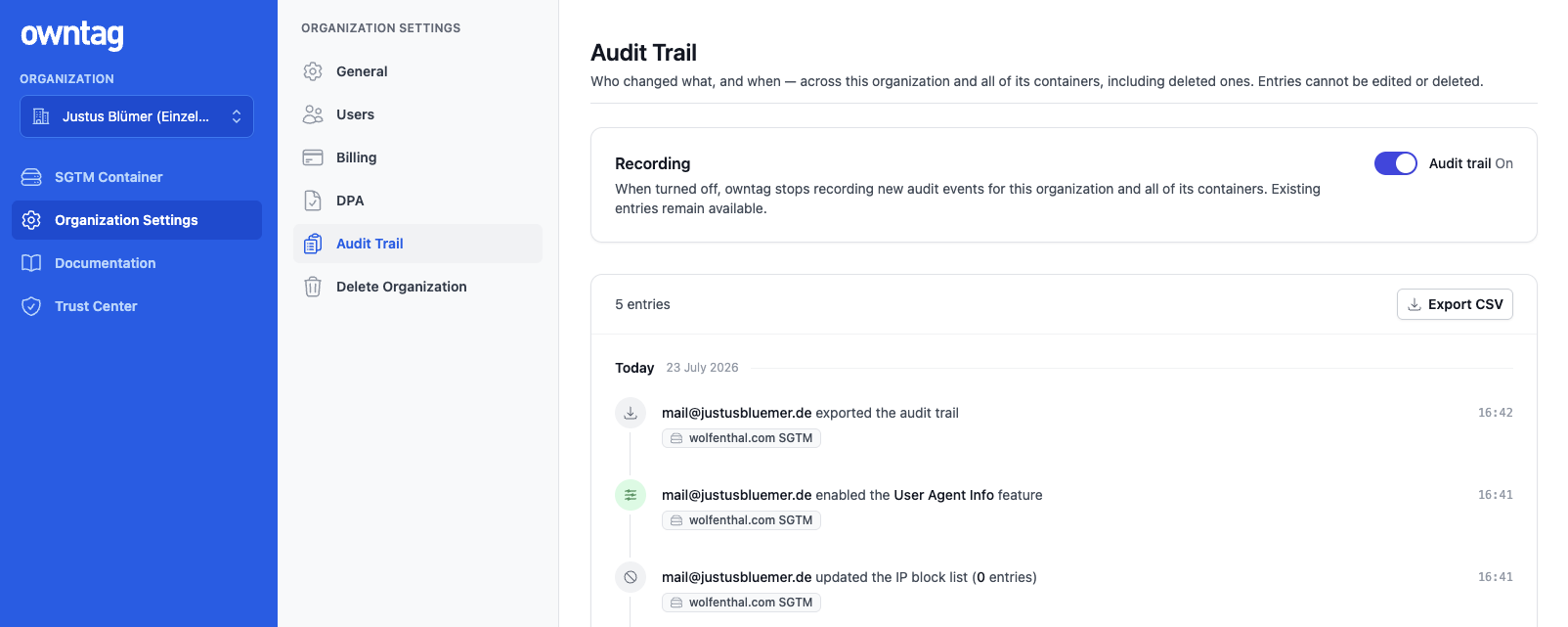
- Per container: Every container has an Audit Trail section in its navigation that shows only the changes to that container.
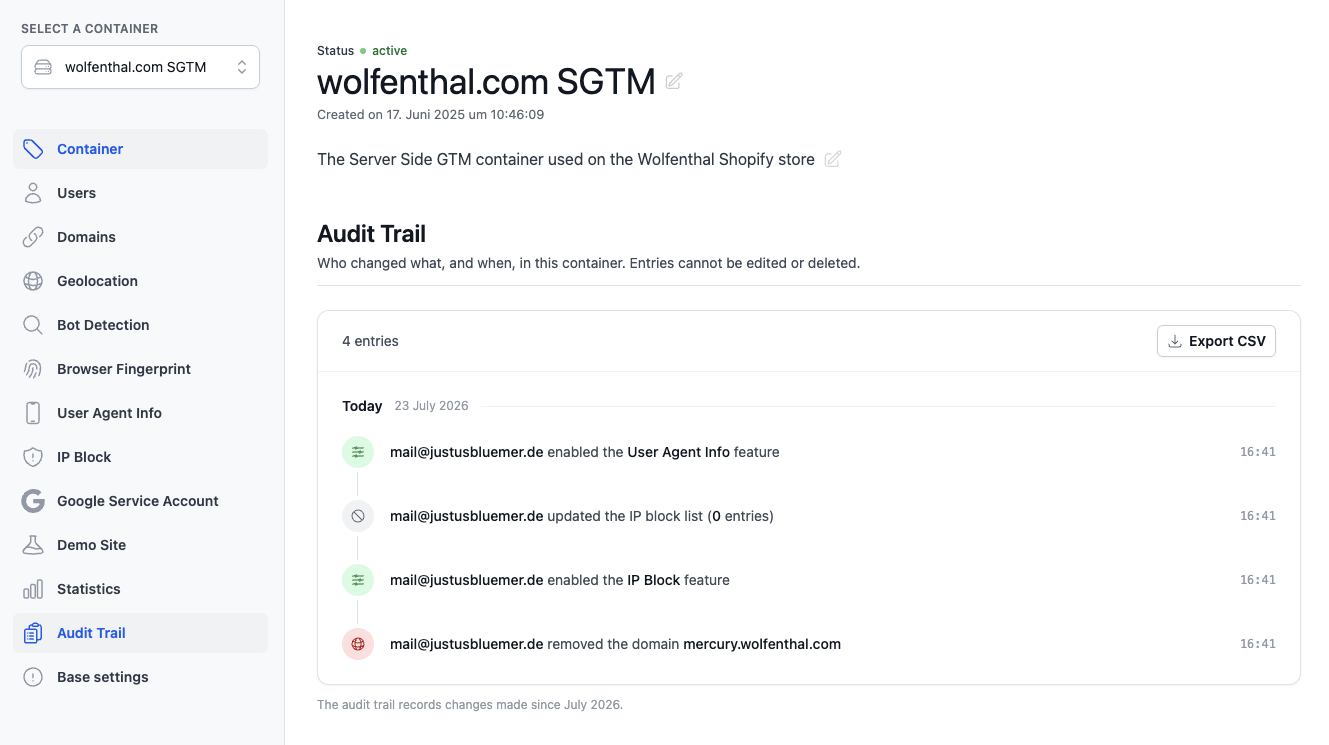
Each entry shows the date and time, who made the change, and what exactly happened — for example a renamed container, an added domain, or a changed member role.
What’s recorded
The audit trail covers every change made through the owntag console:
- Organization: created, renamed, or deleted
- Members and access: members added or removed, role changes, and collaborator access to containers granted or revoked
- Billing and contracts: updated billing details, removed payment methods, and signed data processing agreements (DPA)
- Containers: created, renamed, or deleted; changes to the description, status, container configuration, and features like Geolocation or IP Block; uploaded or removed Google service account keys; restarted test periods; conversions from test to standard containers
- Domains: added or removed
- Exports: every CSV export of the audit trail is itself recorded
A few entries are created by owntag itself rather than by a user — these appear as “owntag System”.
Two things the audit trail deliberately does not contain: logins and read-only access are not recorded (the audit trail documents changes), and sensitive values such as your container configuration or uploaded keys never appear in it.
Deleted and renamed containers
Entries always show the container name as it was at the time of the change. If a container was renamed later, the entry additionally shows the current name. If it was deleted, the entry is marked with a “deleted” badge — the history of deleted containers remains fully visible in the organization-wide audit trail.
Who can see the audit trail
Access follows the roles in your organization:
- Owners, admins, and members see the organization-wide audit trail and the trails of all containers.
- Collaborators see the audit trails of the containers they have access to, but not the organization-wide view.
CSV export
You can export the complete audit trail as a CSV file — for the whole organization or for a single container — via the Export CSV button. The file opens directly in Excel and is designed for audits and further processing: timestamps in ISO 8601 format (UTC) and language-independent action keys like setup.renamed, so exports stay comparable no matter which language you use the console in. (In the export format, containers are called setup — the two terms mean the same thing.)
In addition to what the console shows, the export contains the IP address and browser information recorded with each entry — details auditors and data protection officers typically ask for.
The audit trail records changes made since July 2026 — earlier changes don’t appear. Entries are kept for the lifetime of your organization.