
The remove_from_cart event in Google Analytics 4 (GA4) is used to track when a user removes a product from their shopping cart.
While this might sound “negative” at first, it’s analytically extremely valuable: removing items from the cart indicates friction (price, shipping costs, second thoughts) or simply comparison behavior. Combined with add_to_cart, view_cart, and begin_checkout, this gives you a much more realistic picture of how users actually make decisions.
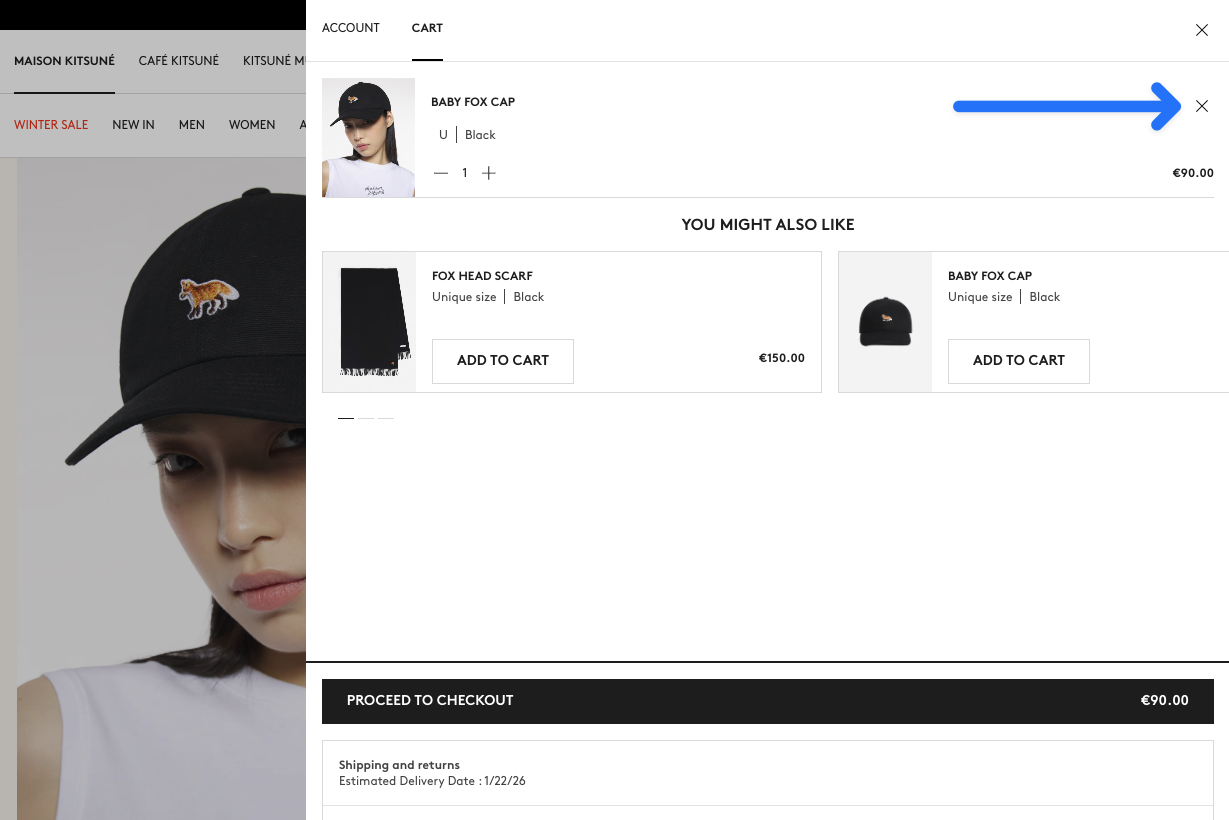
The remove_from_cart event is one of the e-commerce events in GA4 and should—like add_to_cart—be sent with items and optionally value/currency.
Implementation
The best place to trigger remove_from_cart is the moment when the removal has actually happened (after successful cart update).
Required fields & value logic
itemsis required. Each item should have at leastitem_idoritem_nameset.quantityis technically optional but almost always important in practice. If you omit it,1is often assumed by default.- If you use
value, also setcurrency.valueshould (like other e-commerce events) be the sum ofprice * quantityfor the removed items—excluding shipping and taxes.
Complete removal vs. quantity reduction
Many stores have both:
- Completely remove item (e.g., click on trash icon)
- Reduce quantity (e.g., from 2 → 1)
Both can be tracked as remove_from_cart. The important thing is that quantity reflects the quantity being removed.
dataLayer
window.dataLayer = window.dataLayer || [];
window.dataLayer.push({
    event: "remove_from_cart",
    ecommerce: {
        currency: "EUR",
        value: 29.90,
        items: [{
            item_id: "SKU12345",
            item_name: "Superfood Powder",
            item_category: "Superfoods",
            item_variant: "500g",
            item_brand: "MySupplements",
            price: 29.90,
            quantity: 1
        }]
    }
});Common pitfalls
quantityas new total: Forremove_from_cart, it usually makes more sense to send the removed quantity.- Bulk actions: Some stores offer “Clear cart.” In that case, you should either send multiple
items(for all removed products) or intentionally represent the action differently (e.g., with a separate event).